The TattvaLMS Platform
One platform for delivering learning, managing compliance, tracking certifications, and reporting across your organization.
TattvaLMS is configured around your structure rather than forcing every department into the same model.
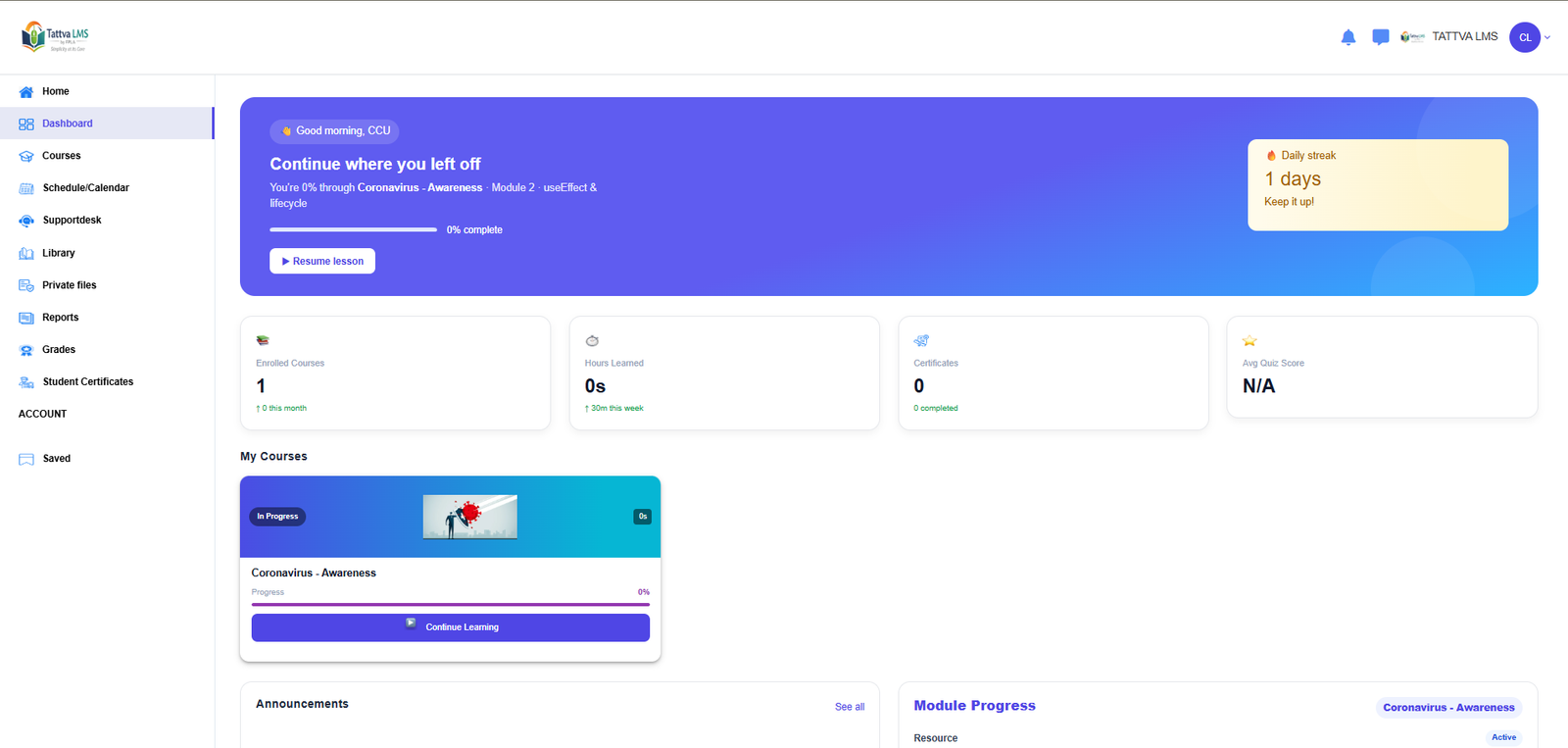
TattvaLMS learner dashboard.
Deployment Built Around Your Governance Needs
Dedicated (Single-Tenant)
All application logic, data storage, and configuration are reserved for one organization, with complete data isolation, predictable performance, and independent control of workflows and security settings.
Shared (Multi-Tenant)
Departments, campuses, or agencies share one platform instance with logical separation. Users, courses, enrollments, configuration, and reporting stay scoped to each tenant, and each tenant can have its own URL and branding.
Hybrid
A core instance with tenant-specific customization and data partitioning, for organizations that need central oversight and local control.
Separate Environments
Production and testing environments are kept separate, so configuration changes can be reviewed before they reach learners.
The Complete Learning Lifecycle
Structure training the way your organization delivers it, from first enrollment to recertification.
Learning Paths
Course sequences, prerequisites, staged modules, and scheduled activity release for structured competency and compliance pipelines.
Classroom and Event Management
Track virtual and physical training locations, schedule sessions, and manage sign-ups, approvals, and waiting lists.
Assessments and Evaluations
Deliver quizzes, assignments, and evaluations within courses as part of each learning program.
Certificates
Configurable per learner and per tenant, with logos, signatures, and watermarks. Learners access them from their dashboard; managers extract them through completion reports.
Permanent Training Records
Every enrollment and completion is archived centrally, supporting recertification scheduling, audit trails, and historical reporting.
Reporting That Follows Your Organization's Structure
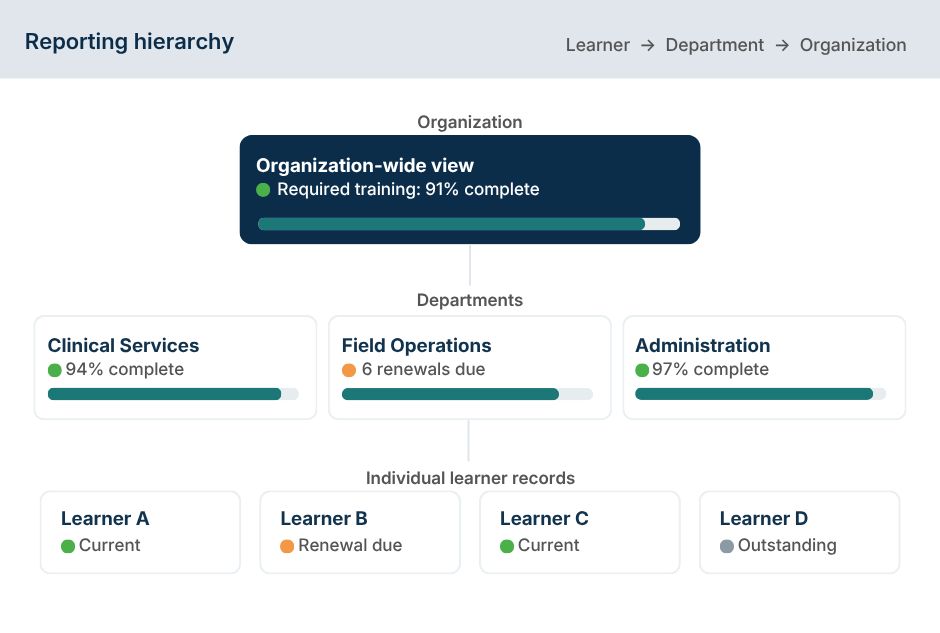
Dashboards are scoped by role and hierarchy. Managers see their own departments, and authorized administrators see across the organization.
- Compliance dashboards for course progress, certification expiration, attendance, and license use
- Completion histories and login activity, filtered by tenant, department, or user group
- Export to CSV, Excel, or PDF
Licensing and Access Control
Administrators control access through license rules as well as roles.
License rules include:
- Capacity limits and validity periods for each license type
- Course cut-off and clear-on-expiry actions
- Immediate or self-service enrollment
- Standard licenses for assigned access, and blanket licenses that let learners self-enroll in any course in a defined catalog
Optional commerce: organizations that sell training can offer paid courses through integrated checkout, with bundles, volume pricing, and per-tenant payment configuration.
Administration and Integration
Administration is delegated within your organization’s structure, and TattvaLMS connects to the identity and data systems you already use.
Delegated Administration
Managers create, edit, and suspend users within their scope. Tenant administrators assign roles and permissions.
Tenant-Level Configuration
Email settings, profile fields, authentication, and reporting access can be configured for each tenant.
Single Sign-On
SAML 2.0 and OIDC single sign-on aligned with your organizational identity provider.
Provisioning and Data Export
API interfaces for user provisioning and HR synchronization, plus export interfaces for external analytics and BI tools.
Security and Operations
Security and data protection are built into how TattvaLMS is designed and operated.
Platform safeguards include:
- Role-based access control
- Encrypted transport (TLS/HTTPS)
- Logical data isolation per tenant
- Audit trails of administrative actions
- Separate production and testing environments
- Backup and recovery procedures
- Responsive access across desktop, tablet, and mobile browsers
See the Platform in Action
Explore the demonstration environment or talk with our team about your deployment.